
Architected for Scale.
Engineered for Speed.
Commercial WordPress plugins, custom headless portals, and high-concurrency Laravel SaaS platforms designed with strict VIP standards and zero technical debt.
Domain-Driven Architecture & Spec
Decoupled contracts, indexed schema boundaries, and strict interfaces. Eliminates technical debt before the first line of code is written.
VIP Security & Nonce Shield Core
OWASP compliance with HMAC signature verification, parameterized SQL sanitization, and zero-bloat Alpine DOM eliminating jQuery attack surfaces.
Automated QA & Static Analysis
PHPStan Level 8 validation, 54 automated Pest PHP test suites, and strict sub-3 SQL query budgets enforced across all database lookups.
High-Concurrency Rollout & Cache
Redis transient object pools, atomic cache invalidation, and edge HTTP/2 transport delivering verified sub-42ms latency under high load.
Six Drivers of BufferCode Engine
Worldwide deployment
Developers & engineers
Pro & open source
Battle-tested reliability
Dedicated Product Domains &
Specialized Knowledge Hubs
BufferCode powers autonomous, high-availability software platforms. Each flagship product features an independent production domain, self-serve onboarding, and direct FAQ support.

Frontend Dashboard
Complete white-label front-end management system empowering users to submit posts, customize profiles, and manage roles without accessing wp-admin.

AdFuz
Complete ad serving engine and campaign manager with advertiser self-serve portals, multi-format placements, live telemetry, and automated payment renewals.

GateFuz
Frictionless payment gateway architecture for WordPress, WooCommerce, and modern SaaS. Engineered with zero fee bloat, multi-currency support, and cryptographic webhook security.

WorkFuz
Lightweight, multi-tenant project management and client workspace platform. Organizes workflows across spaces, milestones, and granular task checklists with front-end collaboration.
Featured WordPress Products
Commercial plugins and community extensions built for rock-solid stability and zero bloat.

SignFuz
SignFuz — Enterprise Self-Hosted Electronic Signatures & Document Workflows for WordPressCut SaaS subscription bloat and keep full ownership of your contracts. SignFuz turns your WordPress website into a legally compliant, self-hosted electronic signature platform modeled after Odoo Sign. Instead of paying hefty per-envelope or per-user monthly fees to third-party services, SignFuz enables you to prepare, send, execute, and verify agreements directly within your own WordPress environment.Built with modern high-performance technologies (React, TailwindCSS, and PDF.js), SignFuz delivers a lightning-fast visual document preparation experience and an intuitive, distraction-free signing portal for your recipients. From NDAs, sales quotes, and client service agreements to internal sign-offs and public kiosk intake forms, SignFuz keeps your contracts safe in a hardened private document vault, seals every agreement with a cryptographic SHA-256 audit trail, and generates court-admissible Certificates of Completion automatically.Why SignFuz?100% Self-Hosted & Private: Your sensitive PDF documents, client data, and signature artifacts never touch external third-party cloud servers. They remain strictly in your own WordPress storage vault protected by server access guards.Zero Per-Envelope Fees: Send unlimited contracts and gather unlimited signatures without recurring per-document penalties.ESIGN & UETA Legally Binding Compliance: Features affirmative electronic record disclosures, tamper-evident SHA-256 audit event chaining, and automated execution certificates with UTC timestamps and IP records.Native Ecosystem Integration: Seamlessly connects with Frontend Dashboard for client document hubs and WorkFuz for automated milestone and deliverable approvals.
WorkFuz Pro
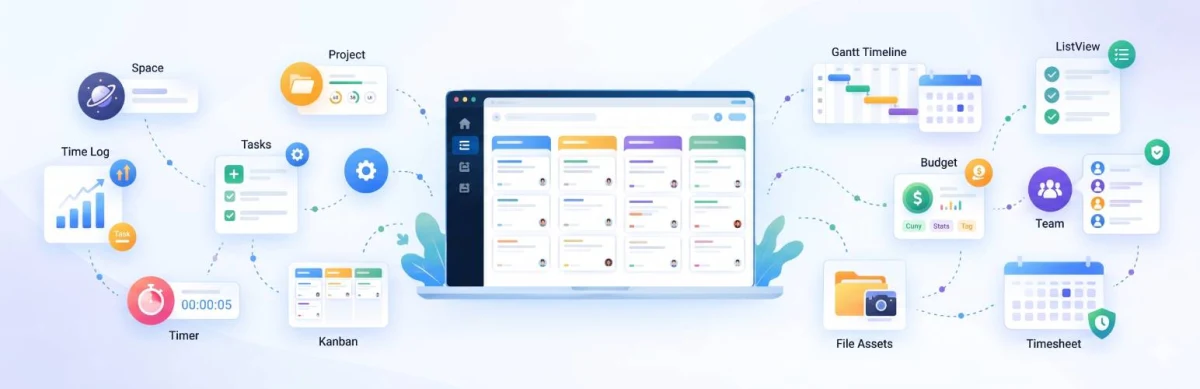
WorkFuz Pro elevates WordPress into a comprehensive project delivery and client operations platform. Built specifically for growing agencies, IT consultancies, and digital service firms, it replaces disconnected external tracking software with a native, server-authoritative engine.With WorkFuz Pro, teams manage complex project timelines, monitor resource workloads, log billable hours, secure verified client approvals, and resolve support requests—all under your own brand, on your own infrastructure, with zero recurring per-user penalties.
WorkFuz
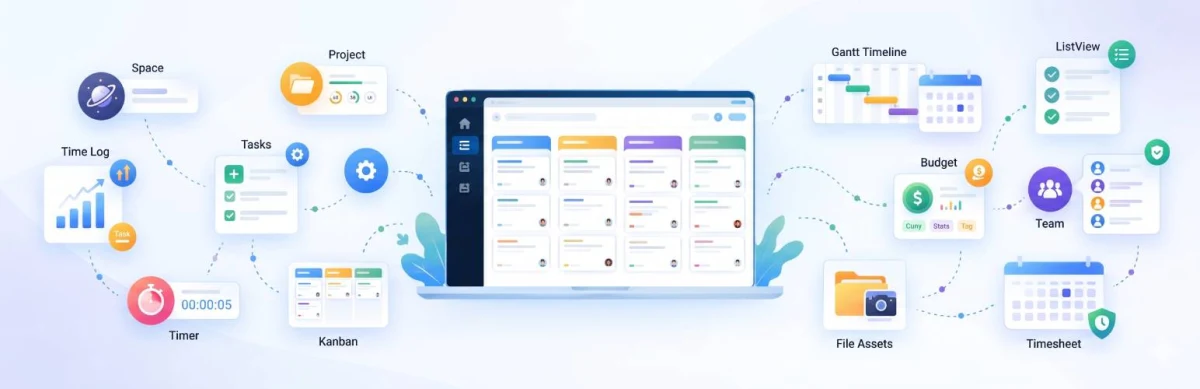
WorkFuz is a modern, high-performance project management plugin engineered specifically for WordPress. Built for creative agencies, software teams, freelancers, and enterprise client portals, WorkFuz replaces bloated, slow external project tools with a secure, native WordPress solution that lives directly inside your own server.Unlike conventional plugins that clutter the database with heavy custom post types and slow postmeta queries, WorkFuz is powered by a dedicated, high-speed relational database architecture optimized for instant loading, real-time collaboration, and multi-tenant project segmentation.

Frontend Dashboard Pay Per Post
Frontend Dashboard Pay Per Post is a monetization and editorial management extension engineered specifically for the Frontend Dashboard ecosystem. It bridges front-of-house content creation with automated payment collection, credit balance accounting, and listing lifecycle management.Whether you run a guest blogging marketplace, sponsored review platform, job board, classified ads site, or client publishing portal, Pay Per Post provides an end-to-end workflow:Monetize Submissions Upfront: Require authors and advertisers to pay per post before submission.Sell Priority Featured Add-ons: Upsell featured listing badges that give top placement and enhanced visibility to high-value content.Sell Volume Packages & Prepaid Credits: Offer 5-, 10-, or 20-post bundles so repeat authors can purchase credits at volume discounts and draw them down over time.Automate Listing Lifecycles & Renewals: Set custom listing durations (e.g., 30, 60, or 90 days) with automatic expiration to draft mode and one-click renewals.Dedicated Contributor Hub ("My Submissions"): Authors manage their own credit allowances, track review statuses, edit drafts, download payment receipts, and repurchase packages directly on the frontend.Unified Payments with GateFuzPay Per Post integrates natively with GateFuz, BufferCode’s payment gateway engine (supporting Stripe, PayPal, Razorpay, Authorize.Net, and offline/bank transfers). With cryptographic server-side validation and automated receipt generation, every transaction is secure and traceable.
Frontend Dashboard for WooCommerce
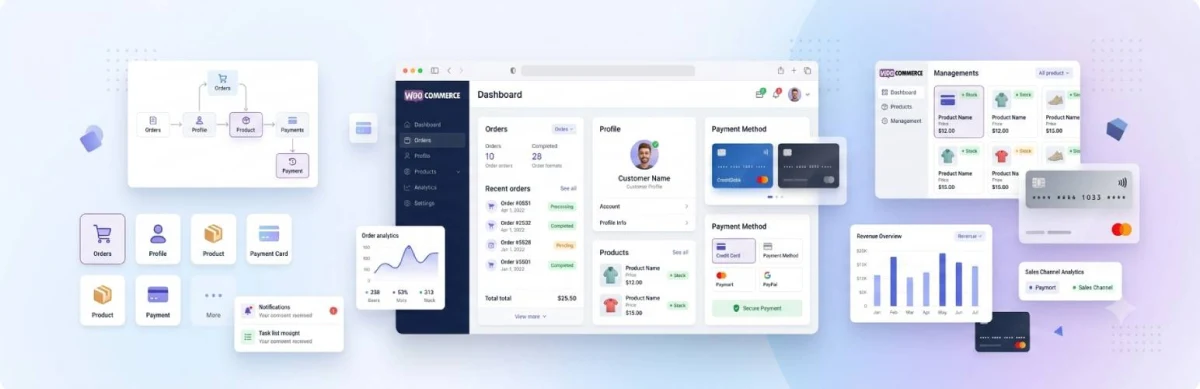
The default WooCommerce customer account page has barely changed over the years: it looks disconnected from modern web apps, relies on full-page reloads, and requires complex template overrides just to add a custom tab or adjust layout styling.Frontend Dashboard for WooCommerce completely bridges WooCommerce and Frontend Dashboard into a cohesive, high-performance customer portal and store management hub:For Store Customers: Delivers a modern, intuitive self-service portal where customers can review itemized order history with real-time delivery status badges, download digital purchases, manage multiple billing/shipping addresses via instant AJAX forms, and securely manage stored payment tokens.For Store Owners & Shop Managers: Empowers authorized personnel to view their store catalog, filter products by status, perform typeahead search, and create or edit simple products directly from the frontend without ever exposing the sensitive WordPress backend (/wp-admin/).High-Performance Architecture: Engineered with 100% native support for WooCommerce High-Performance Order Storage (HPOS), standard CRUD data stores, and instant profile data synchronization.
GateFuz
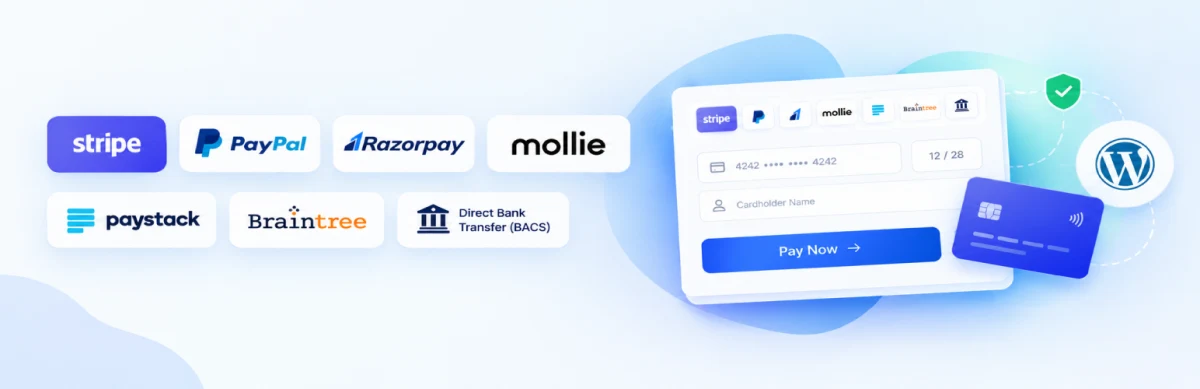
Most WordPress payment solutions lock you into heavy, bloated eCommerce frameworks just to accept a single charge or recurring subscription. GateFuz redefines payments on WordPress with a developer-first, decoupled architecture.Whether you run a digital SaaS, membership portal, custom theme, or a bespoke headless app, GateFuz provides:7 Global Payment Gateways in one unified hub: Stripe, PayPal Smart Buttons, Razorpay, Mollie, Paystack, Braintree, and Direct Bank Transfer.Dual Live & Test Credentials: Store both Sandbox and Production API keys simultaneously. Switch environments with a single click.Native Subscriptions & Free Trials: Automated recurring cycles, trial period tracking, and webhook sync without requiring third-party subscription add-ons.Centralized Transaction Ledger: Full administrative CRUD controls (Add, Edit, Delete, Link to Subscriptions) with real-time customer and order logs.Developer-First API: Embed checkouts anywhere using a single shortcode ([gatefuz_checkout]) or PHP action (do_action('gatefuz_render_checkout')).
Ad Fuz Pro
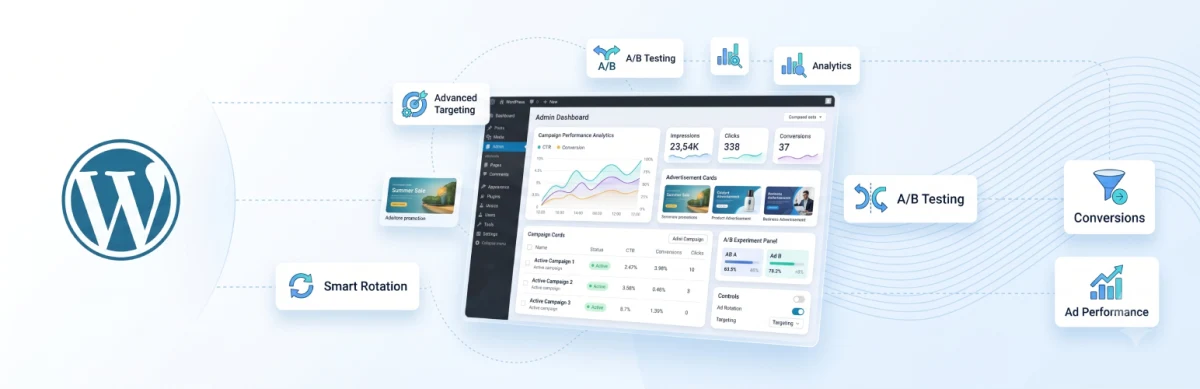
AdFuz Pro is an enterprise-grade, lightweight ad management and campaign delivery engine built natively for WordPress. It empowers site owners, digital publishers, agencies, and developers to take full control of their website's ad inventory — eliminating complex external ad servers while maximizing monetization and revenue. Whether you are serving direct-sold sponsor banners, native video ads, affiliate campaigns, or third-party ad networks (such as Google AdSense and custom HTML/JS ad tags), AdFuz Pro gives you a structured, professional workflow. Create customizable Ad Spaces, configure multi-ad Campaigns with date schedules and impression caps, and place ads anywhere on your site using native Gutenberg Blocks, shortcodes, or PHP template tags.
Ad Fuz
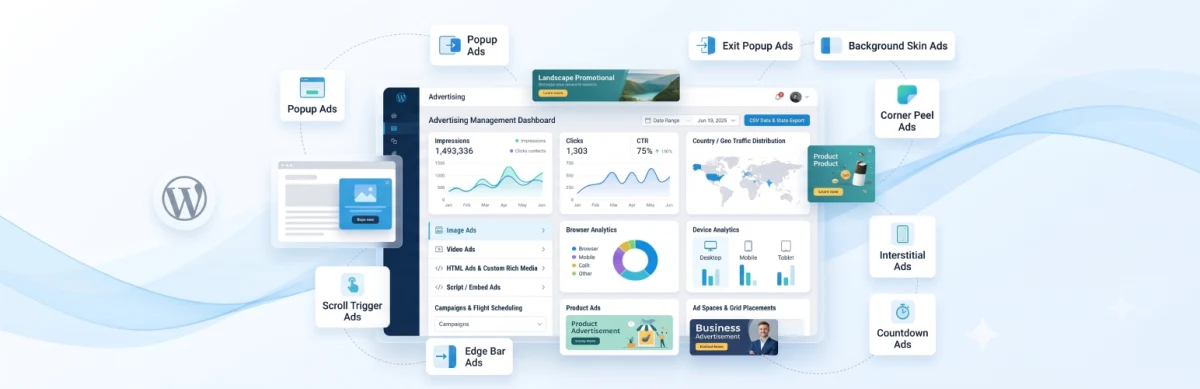
AdFuz gives you a structured, developer-grade workflow to create ads, schedule campaigns with precise date ranges, and serve them through defined ad spaces all from your WordPress dashboard.
Frontend Dashboard User Management
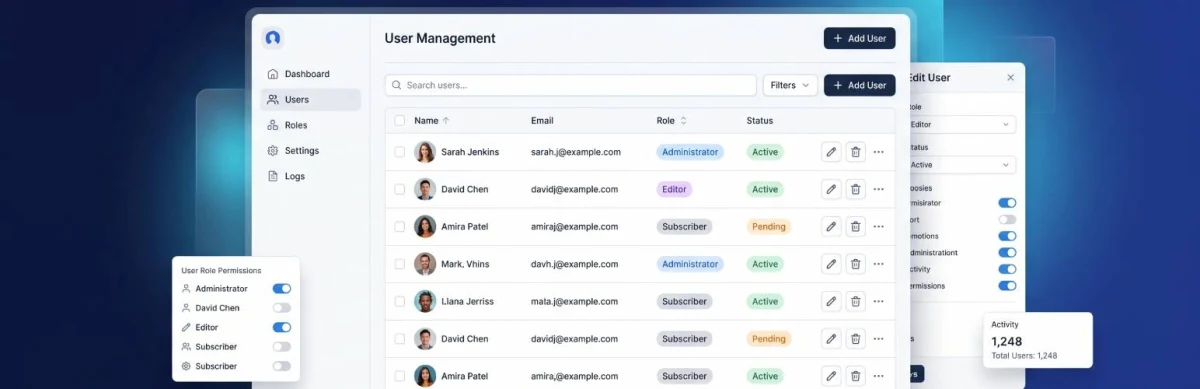
Manage, Moderate, and Edit WordPress Users Directly from the Frontend.Frontend Dashboard User Management empowers site owners to delegate user administration securely without ever granting access to the WordPress wp-admin dashboard. Ideal for membership platforms, community sites, multisite networks, corporate intranets, and directories, this add-on brings a complete, elegant user management suite straight to your frontend portal.Why You Need Frontend Dashboard User ManagementGiving clients, store managers, HR staff, or community moderators access to the WordPress backend (/wp-admin/) is often confusing, cluttered, and poses significant security risks.With Frontend Dashboard User Management, you get granular, role-based control over who can view, create, edit, and delete user profiles directly from the frontend interface. Paired with a modern, responsive directory table featuring live search, instant role filters, and clean pagination, your team can manage thousands of users seamlessly from any device.Highlights:Zero Backend Exposure: Keep non-technical team members and clients completely in the frontend.Granular Permission Matrix: Assign view, add, edit, or delete permissions to specific WordPress roles with a single click.Modern User Directory: A clean, lightning-fast table displaying user avatars, usernames, roles, email addresses, registration dates, and quick actions.Comprehensive Profile Editor: Edit names, emails, passwords, custom metadata, and roles directly on the frontend using standard Frontend Dashboard form fields.Effortless Installation: Seamlessly integrates as a menu item inside Frontend Dashboard or anywhere via the Gutenberg block / shortcode [fed_user_management].
Frontend Dashboard Notification
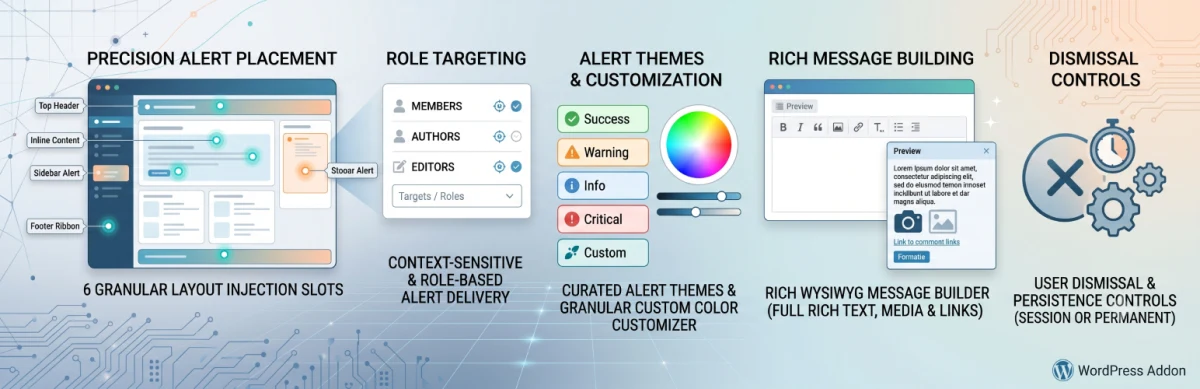
Broadcast Flash Notices, Role Alerts & Announcements in Frontend Portals.Keep your community, members, and authors informed with targeted in-dashboard alert banners, system maintenance notices, and promotional ribbon updates. Featuring 6 precision layout injection slots, rich WYSIWYG message authoring, 5 pre-built alert themes, and granular user role targeting, the Notification Addon ensures critical announcements are seen at the right time in the right place.
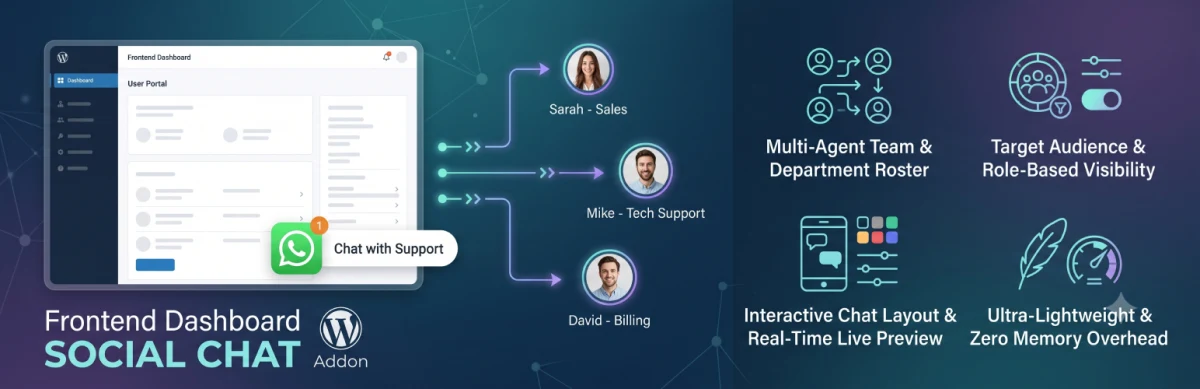
Frontend Dashboard Social Chat
Direct Multi-Agent WhatsApp & Social Support for Portal Members.Connect frontend dashboard users and website visitors directly with your support desk, sales team, or department specialists via floating WhatsApp click-to-chat widgets. Featuring a multi-agent team roster, department routing, audience visibility rules, and a live layout customizer, Social Chat delivers real-time conversational support right inside your user portal.

Frontend Dashboard Membership
Monetize your portal, lock dashboard tabs, and manage recurring member subscriptions with zero code.Frontend Dashboard Memberships & Paywalls Pro transforms your WordPress site into a complete, self-service subscription business. Whether you are running a paid client portal, a creator community, a premium SaaS dashboard, or exclusive content vaults, this add-on gives you the tools to create recurring revenue streams, gate any dashboard feature, and manage member lifecycles seamlessly from the frontend.Unlike generic WordPress membership plugins that take over your entire site structure, Memberships Pro is purpose-built to integrate natively with Frontend Dashboard. You can sell monthly, yearly, or lifetime access tiers, protect individual dashboard menu tabs (e.g., custom post publishers, billing modules, profiles, downloads), and even paywall on-page content with native Gutenberg blocks.Why Choose Memberships & Paywalls Pro?Instant Revenue Activation: Launch multi-tier pricing with Stripe, PayPal, or GateFuz support, collect one-time setup fees, and offer free trials.Granular Tab-Level Paywalls: Don't just hide pages—protect specific dashboard tools and menus (including custom post types) based on active subscriber tiers.Frictionless Member Experience: Members view their active subscription, renewal dates, and available tier upgrades directly on their frontend dashboard without ever seeing wp-admin.Zero Theme Conflicts: Use the visual frontend customizer with 6 one-click themes and live interactive preview to match your branding perfectly.
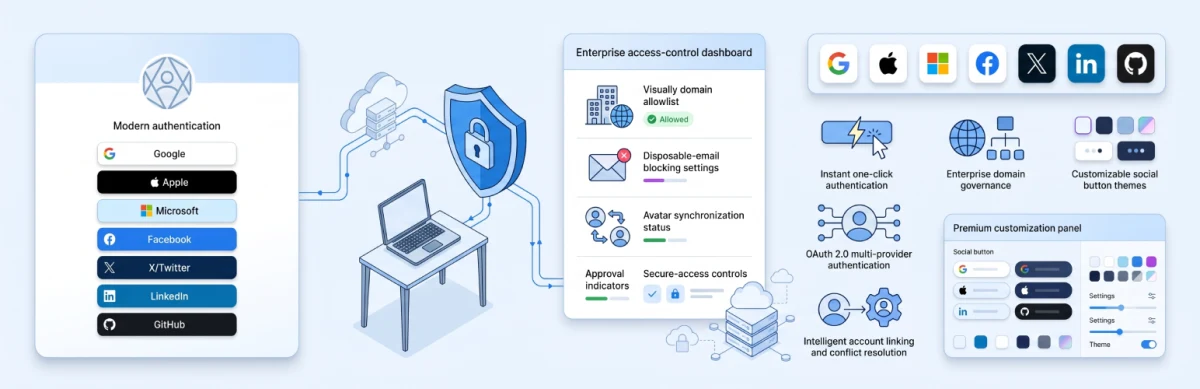
Frontend Dashboard Social Connect
Enterprise 1-Click Social Authentication, Account Linking & Domain Access Governance for WordPress & Frontend Dashboard.Eliminate registration friction, eradicate lost password tickets, and skyrocket sign-up conversion rates on your WordPress portal. Frontend Dashboard Social Connect Pro enables your visitors and members to register and log in instantly using their trusted social identities—including Google, Apple, Microsoft 365, Facebook, X (Twitter), LinkedIn, and GitHub.Built on a modern, stateless OAuth 2.0 security engine (HMAC SHA-256), Social Connect Pro is designed for high performance, load balancers, and caching clusters without relying on fragile PHP sessions. It delivers complete enterprise access control with corporate domain allowlists, disposable email blocking, automatic social avatar sync, and 10 designer button themes that seamlessly match any light or dark brand aesthetic.

Random Banner Pro
Random Banner WordPress plugin provides users with high level of flexibility to show image banner and script ads randomly on Widgets
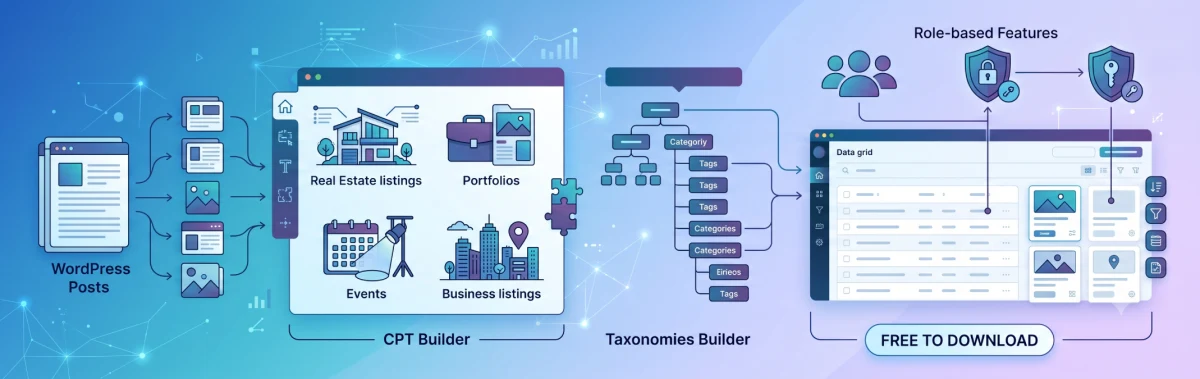
Frontend Dashboard Custom Post and Taxonomies
Turn Frontend Dashboard into a Multi-Content Web Application Platform.Extend frontend publishing beyond standard blog posts to any Custom Post Type—such as Business Listings, Real Estate Properties, Portfolios, Testimonials, or Events. Featuring a visual Custom Post Type Builder, Custom Taxonomies Builder, role-based submission permissions, and dedicated frontend data grids, this addon turns WordPress into a full-featured content management portal.

Frontend Dashboard Captcha
Bulletproof Anti-Spam & Bot Defense for Frontend Forms.Frontend Dashboard Captcha protects your login, registration, password recovery, and frontend submission forms against automated bot attacks, credential-stuffing, and spam signups. Seamlessly integrating as an official module in Frontend Dashboard Settings, it supports Google reCAPTCHA v2 checkbox challenges and frictionless Google reCAPTCHA v3 score-based invisible protection.
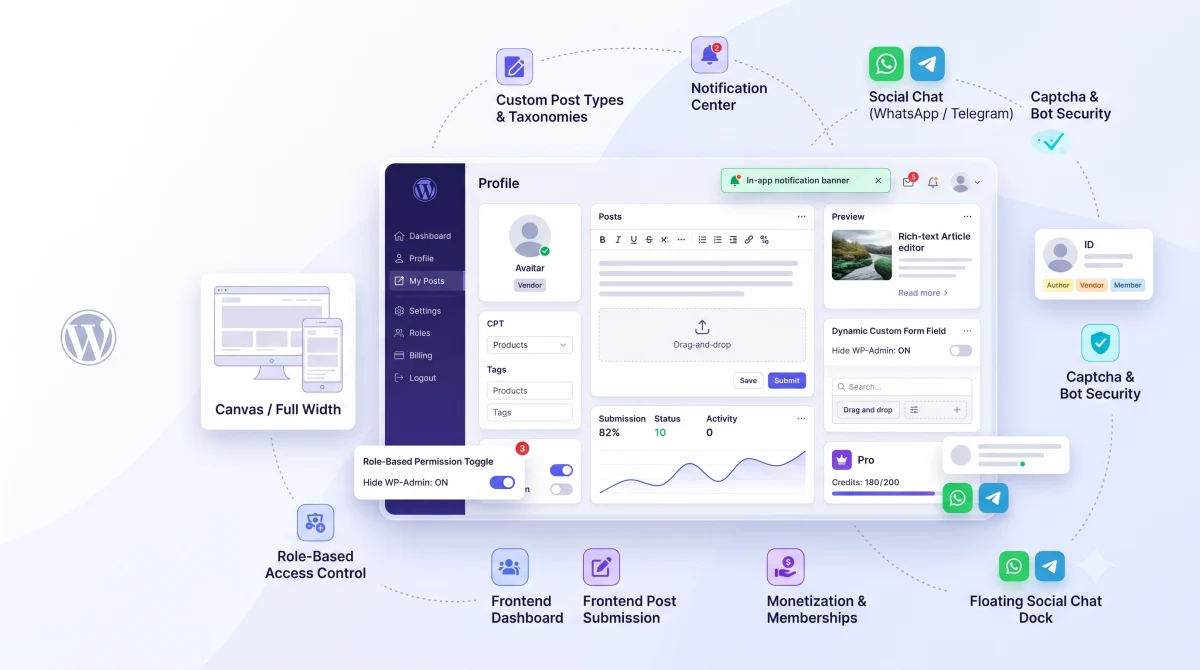
Frontend Dashboard
Transform WordPress into a Powerful Frontend User Portal & Web App Shell.Frontend Dashboard empowers site owners and developers to build sleek, modern client portals, user dashboards, custom login/registration flows, and frontend post publishing systems—without exposing the standard WordPress /wp-admin backend. Built with a full-height sticky App Shell, granular role permissions, a 1-click theme customizer, and a rich shortcode ecosystem, Frontend Dashboard delivers a true native web-application experience for your users.
Need a bespoke extension or custom WordPress plugin? Contact our engineering team →
How We Engineer Commercial Systems
Click any architectural tier below to inspect our code philosophy, security safeguards, and latency standards.
How We Engineer Quality
A test-driven methodology ensuring high-concurrency performance, bulletproof security, and maintainable architecture from discovery to production.
Architecture & Design
Requirements scoping, ERD database design, and REST/GraphQL contract definitions.
- Database schema modeling
- Caching hierarchy specs
Modular Development
Decoupled repositories, strict PHP 8.3 typing, SOLID principles, and VIP compliance.
- SOLID OOP architecture
- Zero framework bloat
Automated QA & Audits
Unit & integration testing, PHPStan Level 8 static analysis, and OWASP hardening.
- PHPStan Level 8 clean
- OWASP security audit
CI/CD & Telemetry
Zero-downtime rollouts, Redis cache pre-warming, and active exception monitoring.
- Zero-downtime release
- Active error logging
Latest Technical Tutorials
In-depth architectural guides, Gutenberg development tutorials, and WordPress tips.

How to Customise Frontend Dashboard Templates
The Frontend Dashboard WordPress plugin templates can be easily customise by creating a Folder in your Theme or Child Theme and copy the respective files from the Frontend Dashboard and its addon and paste the file along with Folder structure in your Child theme. Create a folder name fed-templates in your theme or child theme We are going to customise the Login page of Frontend Dashboard template Go to wp-content | plugins | Frontend Dashboard | templates | login Copy the unregistered-user.php Paste it in your theme or child theme under new created folder fed-templates along with the directory structure of unregistered-user.php file ( login ) So the theme or child theme will be like wp-content | themes | YOUR_THEME_OR_CHILD_THEME | fed-templates | login | unregistered-user.php Now are you free to edit the unregistered-user.php as per your requirement
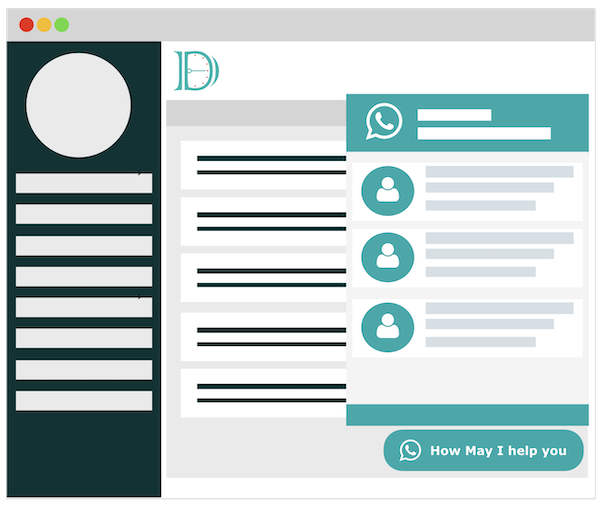
How to setup Frontend Dashboard Social Chat
How to setup Frontend Dashboard Social Chat WordPress plugin. Please login into wp-admin | Frontend Dashboard | Social Chat Configure your settings in Frontend Dashboard | Social Chat | Settings Add the users and their details at Frontend Dashboard | Social Chat | Users To change the chat window content, please go to Frontend Dashboard | Social Chat | Layout Do save

How to get Braintree Publishable key and Secret Key
Visit https://www.braintreegateway.com/login for live account and https://sandbox.braintreegateway.com/login for Testing account
 Click Cog Wheel in the Top Right
 Click API
 Copy Public Key and Private Key Paste it in Wp-admin | Frontend Dashboard | Payments | Payment Gateway | Braintree | Sandbox Publishable key and Sandbox Secret key for Sandbox and Live Publishable key and Live Secret key for Live key
 Copy the merchant ID from Client-Side Encryption Keys | Merchant ID
 Click Submit
What Developers & Agencies Say
Real 5-star feedback from developers, site owners, and agencies building on our plugins.
“I've been looking for a plugin to make the WordPress webpages we make a little more comprehensive for our clients, and this is just perfect! Adds a super easy interface for clients to add new posts and looks very clean. Support is amazing and fixed some small bugs super fast.”
“This is the first time I've ever felt compelled to leave a rating for a free plugin. Works exceptionally well, better than any premium user management plugin I've ever paid for. I love that everything is kept to the minimum, letting WordPress handle the core functions and only building lightweight modules on top of that.”
“Just installed and everything was running smoothly. Had a problem with some customization of the plugin and support was great. Solved everything in chat support in less than 15 minutes, on a Sunday! Even customized the login page links so everything would be perfect. Thanks to the dev team and support from BufferCode.”
Ready to Upgrade Your WordPress Ecosystem?
Choose from our battle-tested commercial plugin suite or partner with our engineers for custom enterprise development.