
Frontend Dashboard for WooCommerce
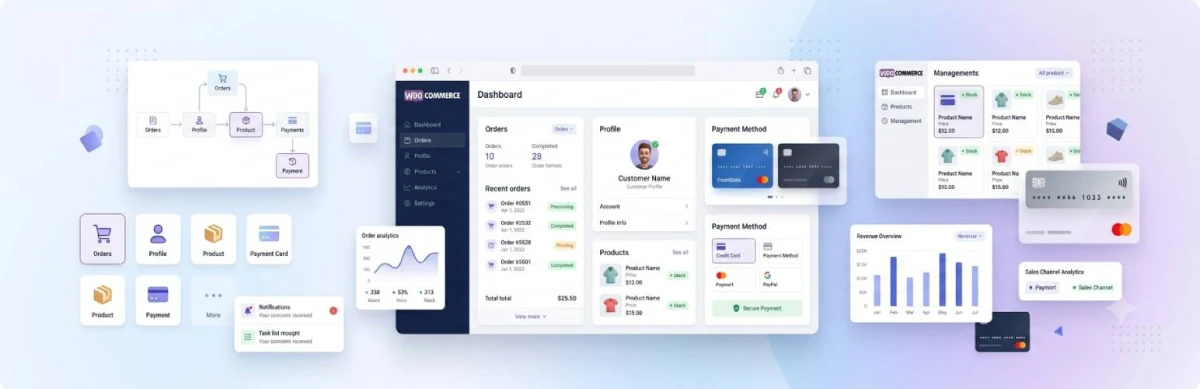
About Frontend Dashboard for WooCommerce
The default WooCommerce customer account page has barely changed over the years: it looks disconnected from modern web apps, relies on full-page reloads, and requires complex template overrides just to add a custom tab or adjust layout styling.
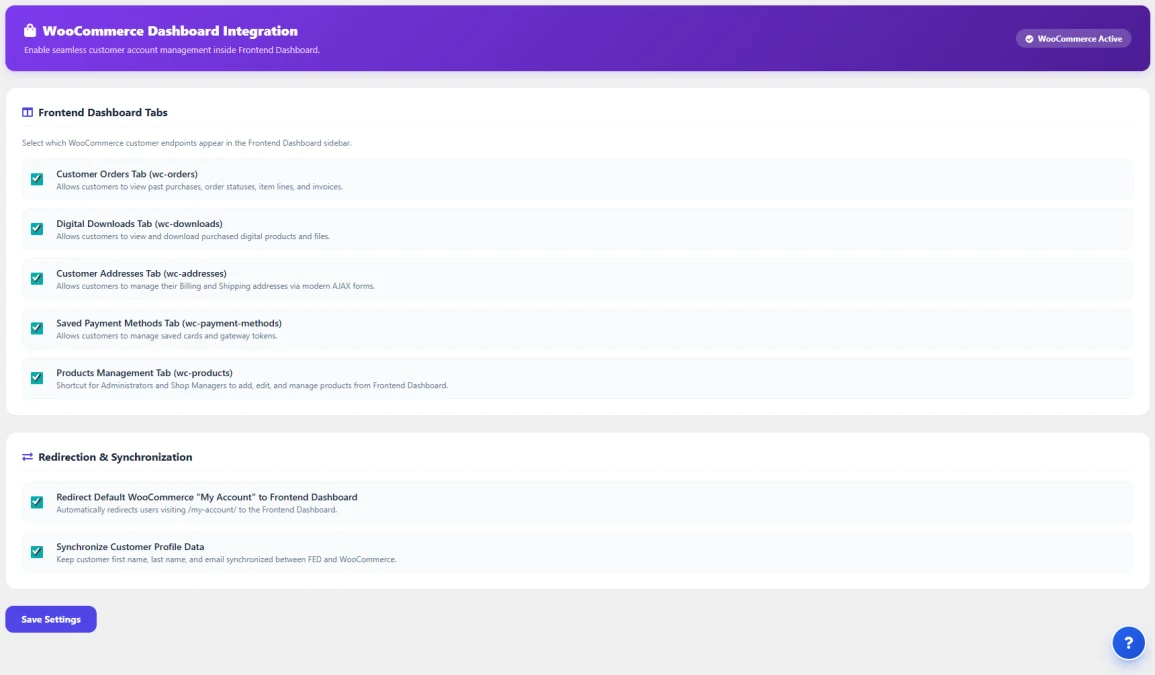
Frontend Dashboard for WooCommerce completely bridges WooCommerce and Frontend Dashboard into a cohesive, high-performance customer portal and store management hub:
- For Store Customers: Delivers a modern, intuitive self-service portal where customers can review itemized order history with real-time delivery status badges, download digital purchases, manage multiple billing/shipping addresses via instant AJAX forms, and securely manage stored payment tokens.
- For Store Owners & Shop Managers: Empowers authorized personnel to view their store catalog, filter products by status, perform typeahead search, and create or edit simple products directly from the frontend without ever exposing the sensitive WordPress backend (
/wp-admin/). - High-Performance Architecture: Engineered with 100% native support for WooCommerce High-Performance Order Storage (HPOS), standard CRUD data stores, and instant profile data synchronization.
Key Features & Architecture
Discover what makes Frontend Dashboard for WooCommerce unique, reliable, and developer-friendly.
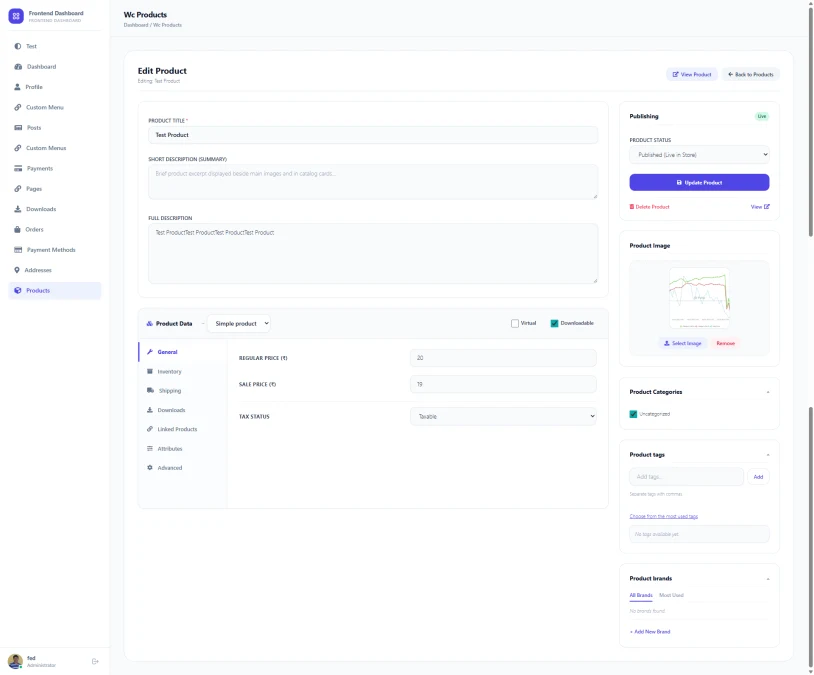
Comprehensive Frontend Product Builder
A complete frontend product creation and editing interface mirroring the depth of WooCommerce core. Featuring a tabbed Product Data meta box, store managers can configure pricing, inventory, dimensions, downloadable files with media library integration, typeahead linked products (upsells/cross-sells), attributes, tags, and brands.
- Tabbed Product Data Meta Box: Clean vertical navigation between General, Inventory, Shipping, Downloads, Linked Products, Attributes, and Advanced panels.
- Typeahead Combobox for Upsells & Cross-Sells: Real-time live product search autocomplete with removable chip tags (no clunky standard select menus).
- Downloadable Files Table: Add file rows, set file names, and choose files directly via the native WordPress Media Library modal.
- Product Tags & Brands Meta Cards: Dedicated sidebar cards supporting comma-separated tags, popular tag clouds, brand checkbox selectors, and on-the-fly brand creation.
- Virtual & Downloadable Toggles: Dynamically reveals or hides shipping and download tabs based on product configuration.
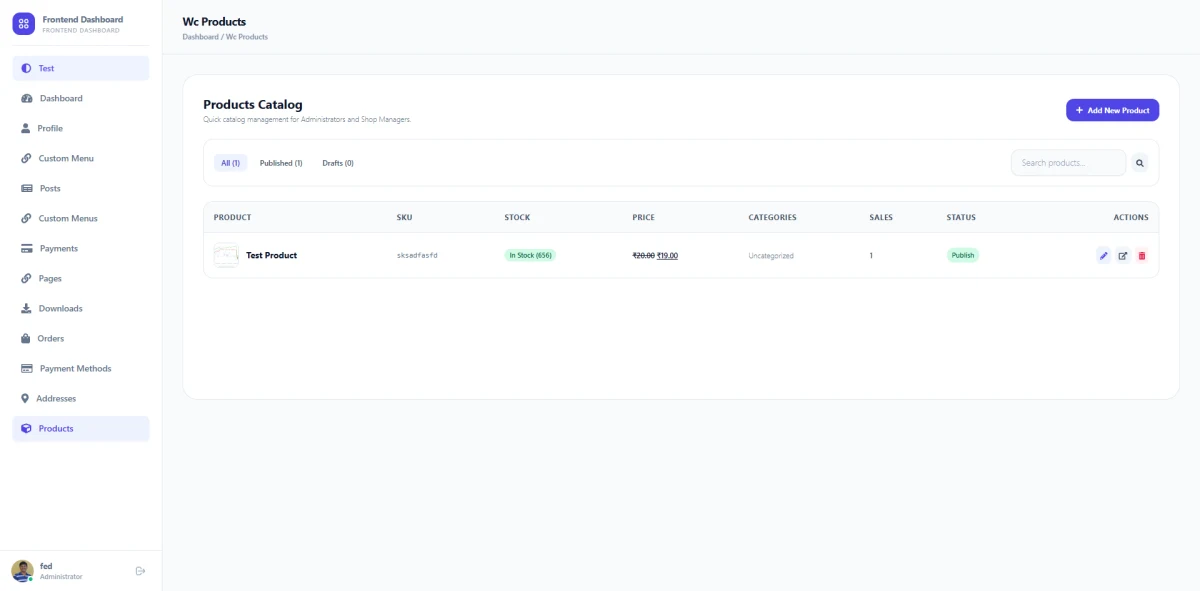
Store Manager Frontend Products Catalog
Eliminate the need to log into the WordPress admin panel just to check stock, view product prices, or update catalog items. Frontend Dashboard for WooCommerce adds a secure, role-restricted Products tab exclusively visible to Administrators and Shop Managers, providing quick catalog overview and search right from the frontend app shell.
- Role-Based Security: Strictly restricted to users with
manage_woocommercecapability; regular customers never see this menu. - Status Filter Tabs: Easily toggle between
All,Published, andDrafts. - Live Search by Title & SKU: Type-to-filter search input for quick product lookup across large catalogs.
- Stock & Pricing Indicators: Live stock badges (
In Stock,Out of Stock,On Backorder) with current regular and sale prices. - Direct Quick Actions: Instant shortcuts to View live product in store, Edit product, or Delete.
Digital Downloads & Saved Payment Methods
Give buyers of digital products, software, ebooks, and licenses direct access to their purchased files with clear usage metrics. Alongside downloads, customers enjoy self-service payment management where they can view stored payment methods (credit cards, debit cards, gateway tokens) and delete expired cards securely.
- 1-Click File Downloads: Direct access links for purchased digital goods and assets.
- Download Limits & Expiry Counters: Real-time visibility into remaining download counts and expiration timelines.
- Payment Method Governance: Displays saved card brands, last 4 digits, and expiration dates.
- Zero Security Risk: Operates strictly through native WooCommerce payment token standards without storing raw payment data on your server.
Fast, Responsive Billing & Shipping Address Editor
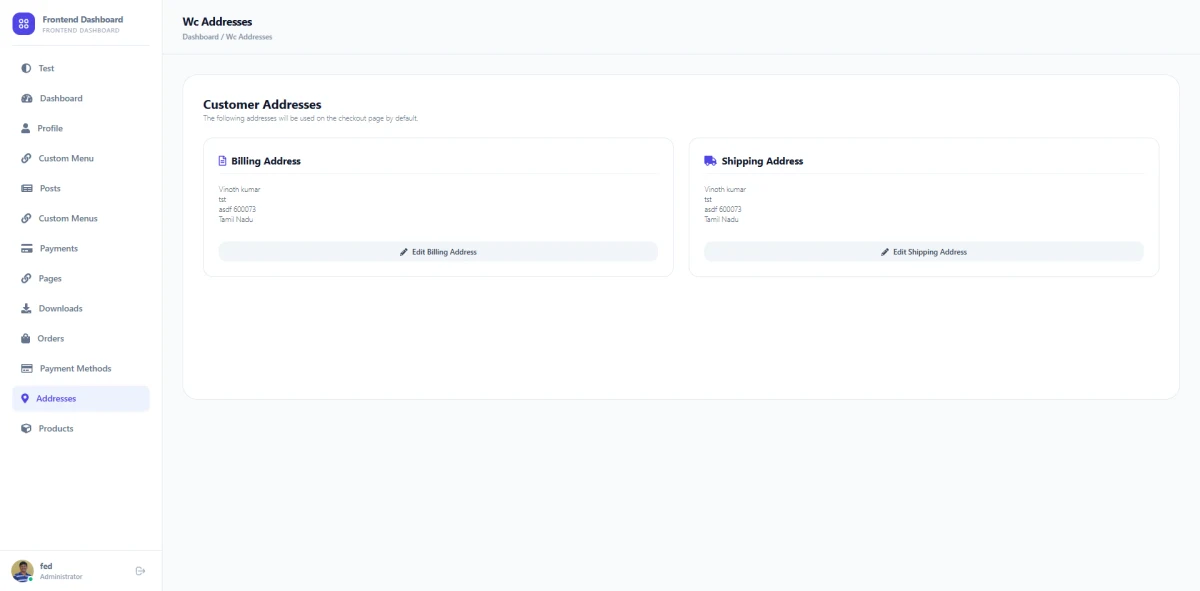
Updating delivery addresses in standard WooCommerce typically requires full-page reloads and clunky multi-step forms. Frontend Dashboard for WooCommerce provides an instant AJAX modal editor with real-time loading feedback, allowing customers to update billing and shipping details in seconds without leaving their dashboard.
- Instant AJAX Modal Editor: Open and edit addresses with an animated spinner and zero page reloads.
- Dynamic Country/State Synchronization: Automatically updates provinces and state dropdowns dynamically when changing countries.
- Default Checkout Sync: Addresses saved here automatically populate the WooCommerce checkout page.
- Profile Data Synchronization: Automatically keeps customer first name, last name, and email synchronized between Frontend Dashboard and WooCommerce.
Complete Customer Order History & Single Order Receipt View
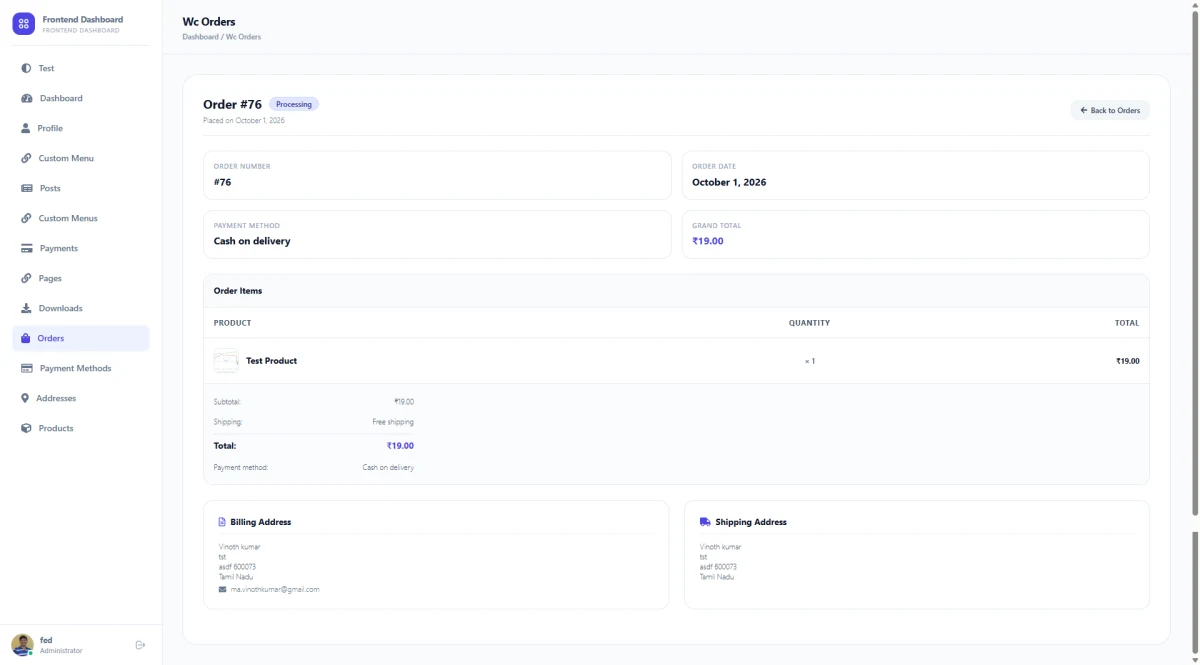
Transform how customers track and inspect their purchases. Instead of standard plain tables, past orders are presented in a clean, modern dashboard with visual status pills (Processing, Completed, On-Hold, Refunded). Customers can open any order to view an itemized breakdown with product thumbnails, unit quantities, subtotal, shipping method, and a 1-click Pay Now button for pending orders.
- Visual Status Badges: Instant color-coded badges for processing, completed, on-hold, and refunded orders.
- Order Metrics at a Glance: Highlights Order Number, Date Placed, Payment Method, and Grand Total.
- Itemized Products Table: Product image thumbnail, line item title, quantity, and line cost.
- Delivery & Invoice Details: Clear billing and shipping address summaries on the single order view.
- 1-Click Pay Now Action: Seamless payment gateway checkout link for pending or on-hold orders.
Release Notes & Version History
Transparent release cycle, continuous improvements, and detailed developer logs for Frontend Dashboard for WooCommerce.
Release Notes & Version History
Real-Time Releases
Instant updates, hotfixes & continuous delivery.
Developer Notes
Inspect migration guides, hooks & API changes.
Roadmap Sync
Transparent milestones and upcoming features.
Frequently Asked Questions & Knowledge Base
We host a comprehensive, searchable documentation portal with tutorials, troubleshooting guides, and answers to all common questions for Frontend Dashboard for WooCommerce.
Instant Search
Search through categorized articles, setup guides, and FAQs.
Guides & Code
Copy-paste PHP snippets, block usage, and shortcode examples.
Direct Support
Get detailed troubleshooting and step-by-step assistance.
License Checkout
Frontend Dashboard for WooCommerce