
Ad Fuz
About Ad Fuz
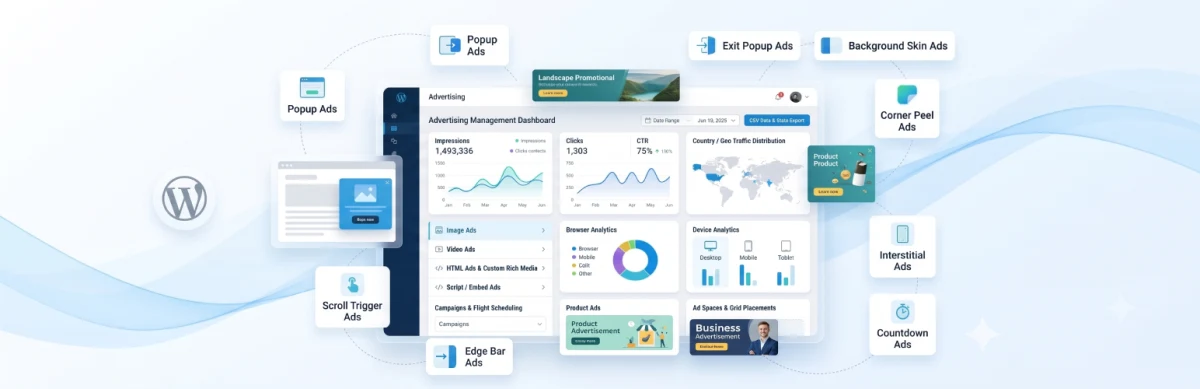
AdFuz gives you a structured, developer-grade workflow to create ads, schedule campaigns with precise date ranges, and serve them through defined ad spaces all from your WordPress dashboard.
Key Features & Architecture
Discover what makes Ad Fuz unique, reliable, and developer-friendly.
Dashboard
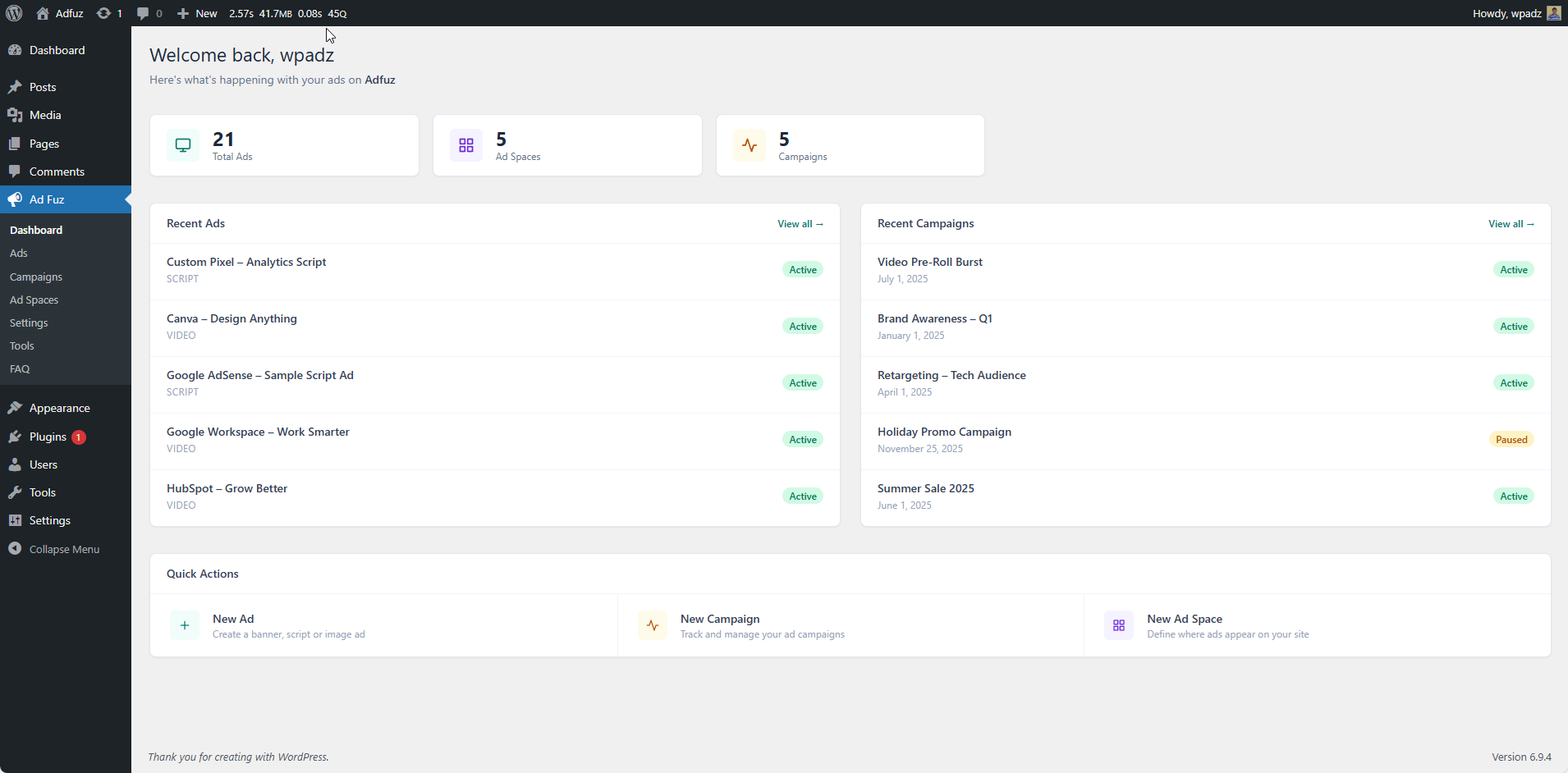
Get a quick overview of your entire ad setup in one place. The Dashboard shows live counts for your Ads, Ad Spaces, and Campaigns, along with your most recently created ads and campaigns. Use the Quick Actions panel to jump straight into creating something new.
Key Features:
- Live stat cards — Total Ads, Ad Spaces, Campaigns
- Recent Ads & Recent Campaigns widgets with status badges
- Quick Action shortcuts to create Ads, Campaigns, and Ad Spaces
Ads
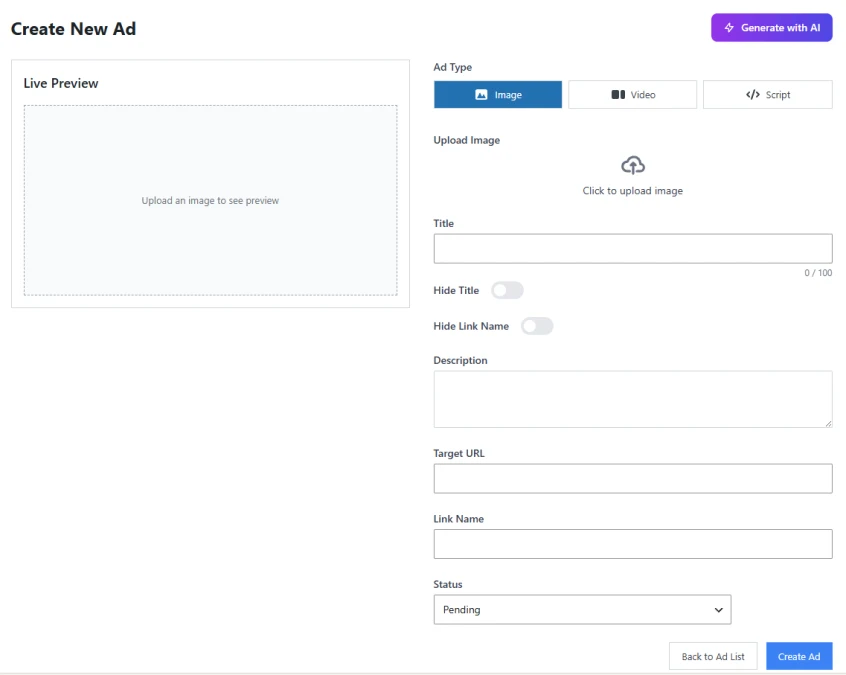
Create and manage all your ad creatives in one place. AdFuz supports three ad types — Image, Video, and Script — each with its own set of fields. Search, filter by status, and manage all your ads from a clean paginated list.
Key Features:
- Three ad types: Image, Video, and Script (HTML/JS)
- Fields for Title, Description, Target URL, CTA button, and Status
- Video supports both file uploads and YouTube / Vimeo embed URLs
- Filter by status (Active, Paused, Pending, Expired) and search by title
Campaign
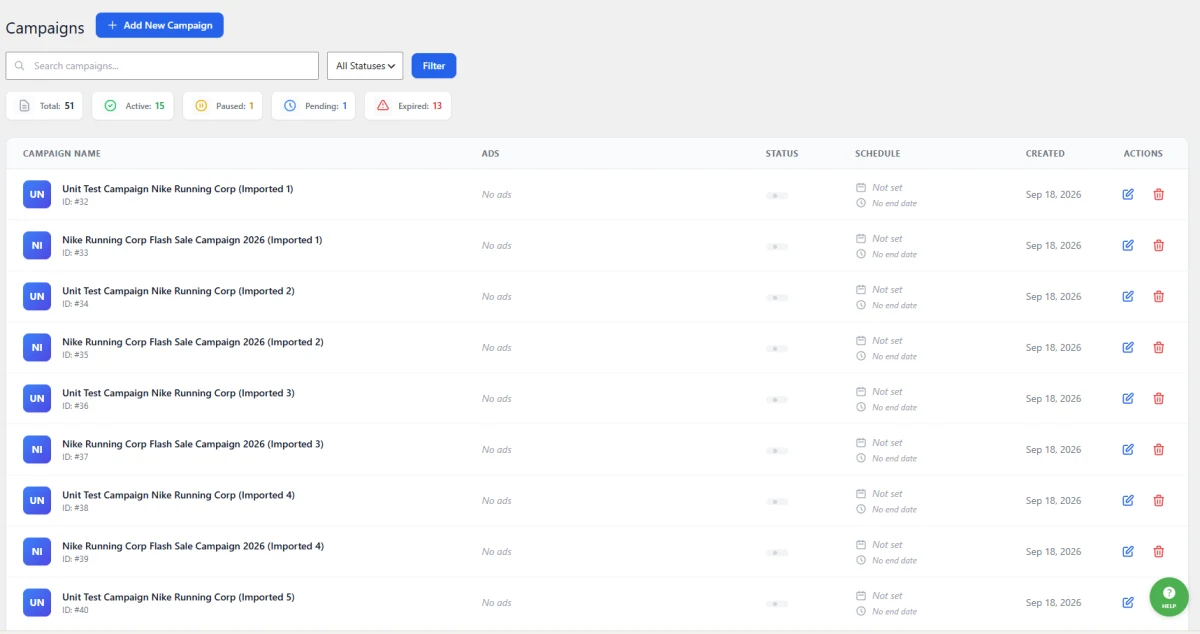
Campaigns control how your ads are delivered — when they run, how they're priced, and when they stop. Assign multiple ads to a campaign, set impression or click limits, and let AdFuz handle the rest automatically.
Key Features:
- Set a start and end date for scheduled delivery
- Assign and reorder ads via drag-and-drop
- Set a fallback ad shown when no active ads are available
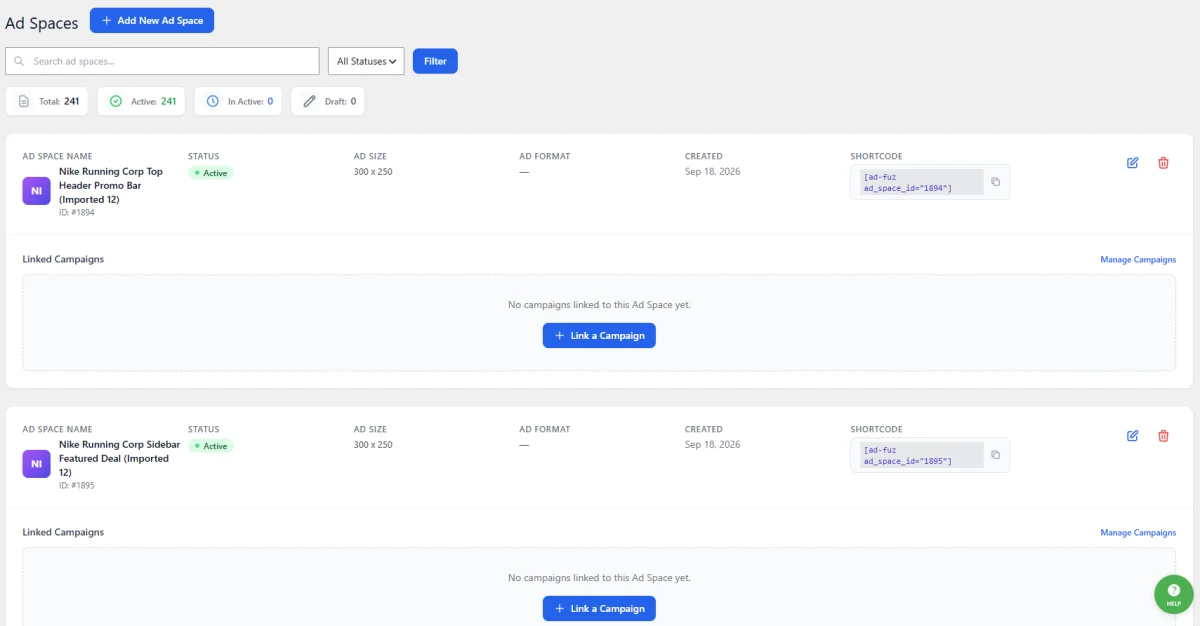
Ad Spaces
Ad Spaces define where ads appear on your site. Each space has a size, a format, and a rotation sequence. Once created, embed it anywhere using a shortcode or the AdFuz Gutenberg block — then link your campaigns to it.
Key Features:
- Supports Banner (single ad) and Slider (rotating ads) formats
- Ad rotation modes: Random, Sequential, or Priority
- Set width, height, and max campaign availability per space
- Link multiple campaigns to a single space with display order control
- Manage and unlink campaigns directly from the list view
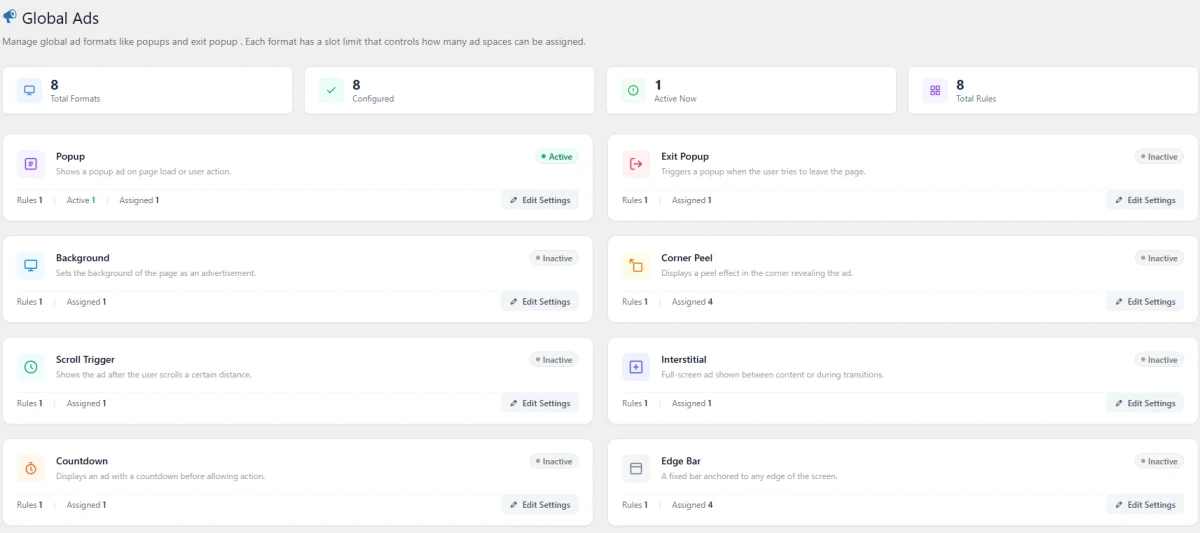
Global Ads
Global Ads are dynamic, sitewide advertisement formats that trigger automatically based on visitor behaviors (page load, mouse exit, scroll depth, countdown timers, or corner interactions) without requiring manual shortcode placement on every individual post.
Key Features:
- Popup
- Exit Popup
- Background
- Corner Peel
- Scroll Trigger
- Interstitial
- Countdown
- Edge Bar
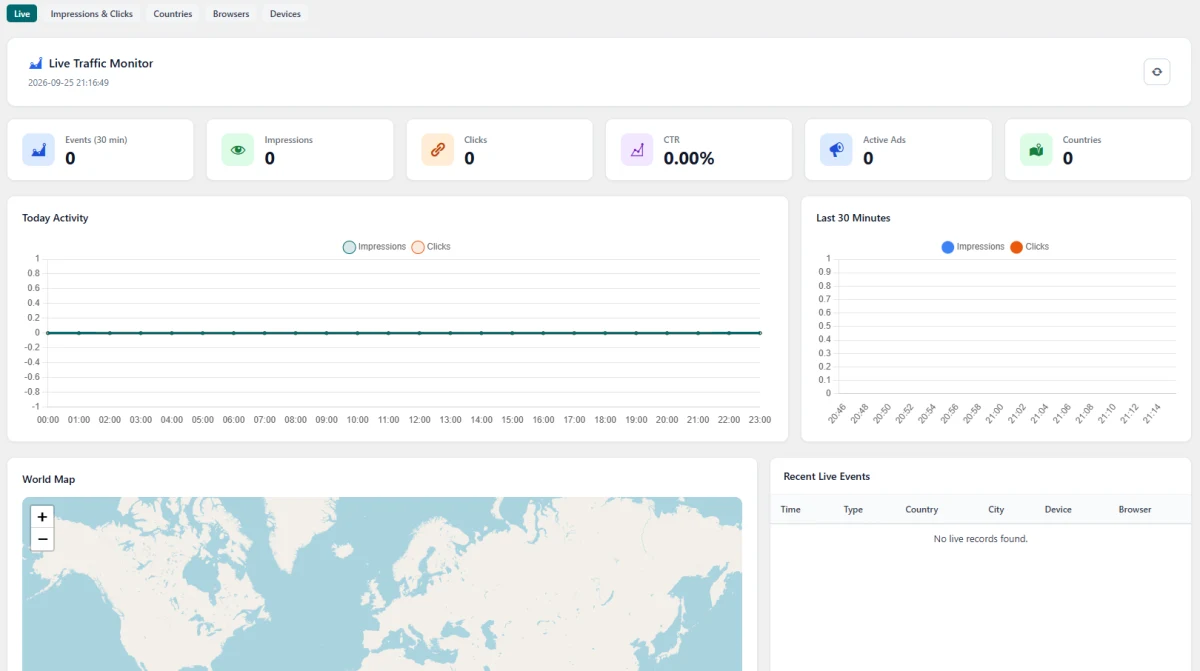
Stats
The AdFuz Statistics Hub provides an enterprise-grade reporting engine that combines real-time streaming telemetry with indexed, aggregated historical analytics for campaigns, creatives, and ad zones.
Key Features:
- Live Monitor
- Impressions & Clicks
- Countries
- Browsers
- Devices
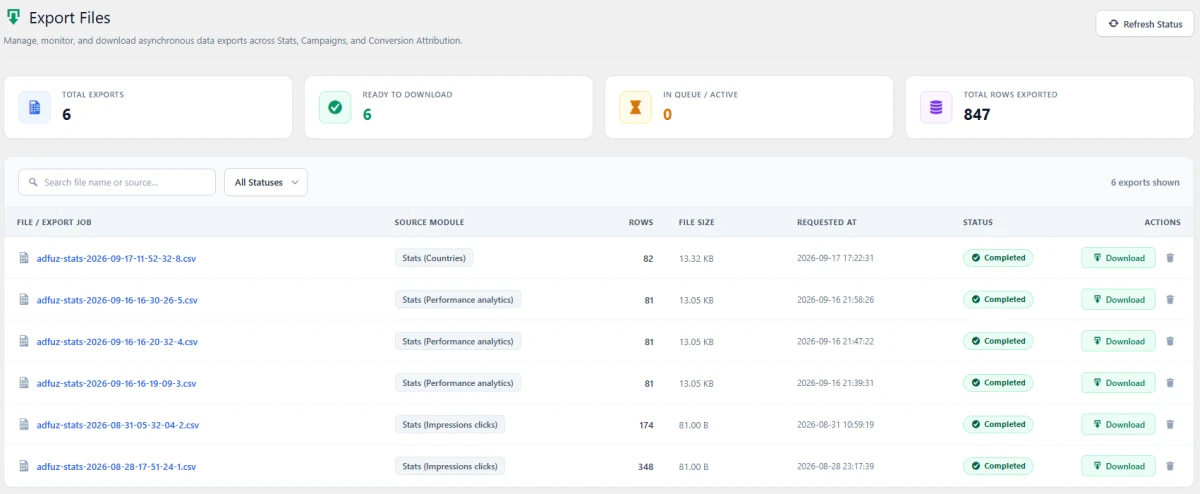
Export Files
This system processes large data requests in background worker chunks, preventing server timeouts and letting you monitor and download finalized CSV spreadsheets.
Key Features:
- Asynchronous Export Queue
- Clean Job Lifecycle states
- Specific to the feature export
Tools
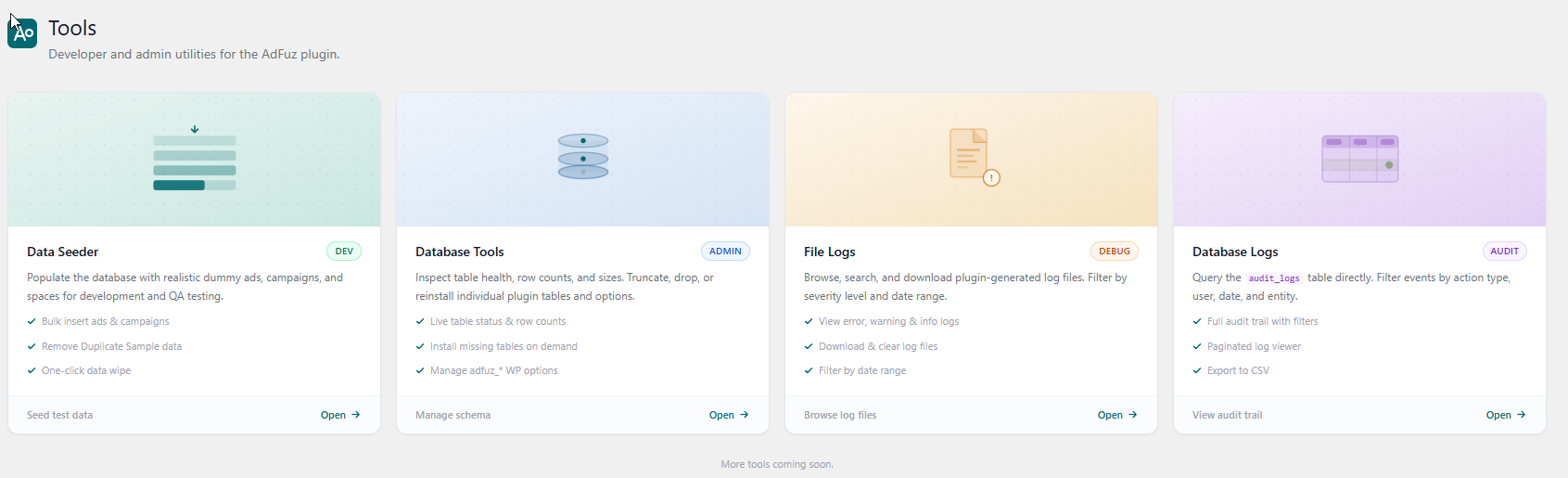
A set of developer and admin utilities to help you test, maintain, and debug your AdFuz setup — all in one tabbed panel.
Key Features:
- Data Seeder
- Database Tools
- File Logs
- Database Logs
Change Log
Transparent release cycle, continuous improvements, and detailed developer logs for Ad Fuz.
Change Log
Follow every update, improvement, and new release for Ad Fuz. View comprehensive release notes, upcoming roadmap features, and detailed developer logs on our dedicated changelog hub.
Real-Time Releases
Instant updates, hotfixes & continuous delivery.
Developer Notes
Inspect migration guides, hooks & API changes.
Roadmap Sync
Transparent milestones and upcoming features.
Frequently Asked Questions & Knowledge Base
<p>We host our comprehensive, searchable documentation and full FAQ library on our dedicated support portal. Browse step-by-step guides, troubleshooting tips, and common answers for Ad Fuz.</p>
Instant Search
Search through categorized articles, setup guides, and FAQs.
Guides & Code
Copy-paste PHP snippets, block usage, and shortcode examples.
Direct Support
Get detailed troubleshooting and step-by-step assistance.
License Checkout
Ad Fuz